

/admin/duplicates) to resolve potential duplicate records. The page has two tabs:
- Live students — sibling / duplicate pairs already in the system (merge, confirm, dismiss)
- Legacy MDB import — scan the school’s uploaded ASISTS/MDB roster for garbage data and matches against live students
Who can access
Admin and Data Lead only.How intake surfaces matches
During NEW registration, Intake checks in two stages:- Check ASISTS first — search by name, DOB (MM/DD/YYYY or YYYY-MM-DD), or both. A DOB-only search returns only students born that day.
- After unlock — when personal info is filled, the system re-checks similar name (match %), related last names, and home address. Same calendar DOB is required for that panel, but a shared birthday alone is not enough.
- Use Same person sitting here — log returning when the match is the student at the desk
- Check Not the same person sitting here (ASISTS gate) or This is a different person with the same name (duplicate panel) to flag siblings for Data Lead review
- Notify the Data Lead with Copy alert message (Teams / Slack / paste into email) or Email with alert (opens mail with subject + body filled in)
Intake alert message
The copied alert is written for Data Lead review. It includes:- A clear Subject line (
Possible duplicate student — Intake alert) - School, who reported it, and when
- The NEW student being registered (name, DOB, phone, email, address — shows — if a field is still blank)
- Possible matches in this system and on ASISTS / legacy (DOB, Label ID, status, similarity, same-DOB / address notes)
- Short What to do steps and a link to
/admin/duplicates
ASISTS gate: after a name or DOB search, confirm Same person sitting here — log returning, or check Not the same person sitting here to unlock NEW intake (flagged for Data Lead review).
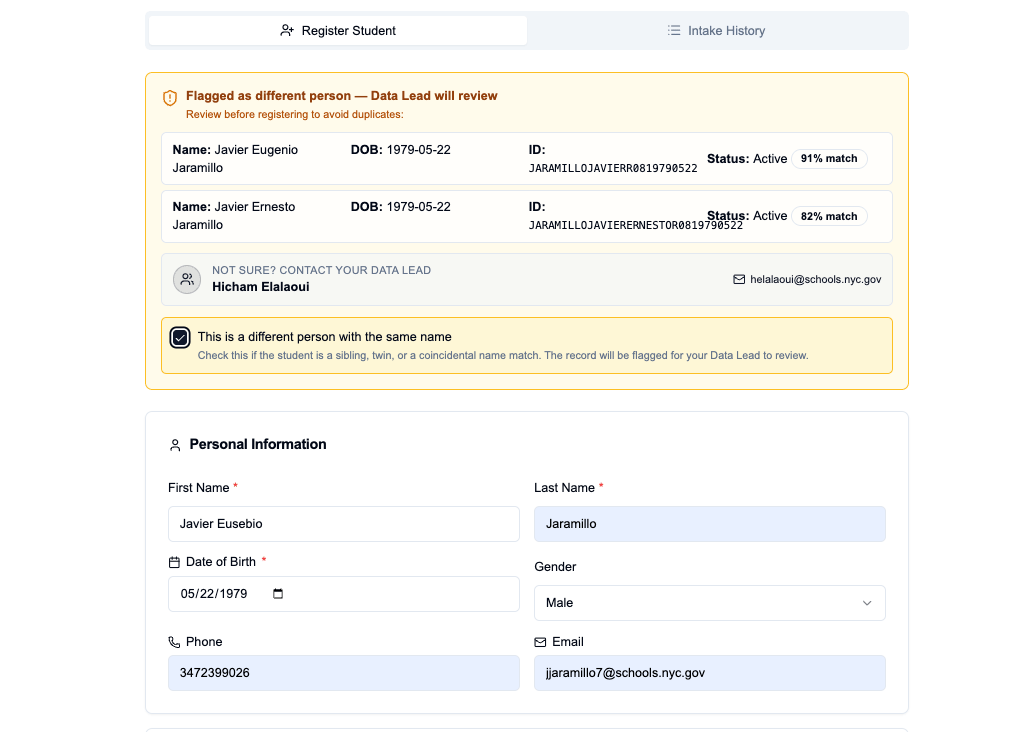
Intake duplicate alert — match scores, Same DOB, and sibling acknowledgement
Flagged section
Students marked by Intake Members with This is a different person appear here for review. Intake may flag a pair when names and DOB are similar but the student insists they are a different person — often siblings.Auto-detected section
The system scans students for:- Same DOB + similar name (fuzzy match, including middle-name omissions), or
- Same DOB + same home address (even when names do not fuzzy-match)
Address comparison
Between each pair, a comparison block shows:
Each student card also shows their formatted address (street + apt on one line, city/state/ZIP below) and a Verified badge when NYC Geoclient confirmed the record.
Actions
Merge field review
When you click Merge Records:- Select the primary student (the record that remains) — each card shows a completeness count (filled contact/address fields)
- Read any warnings (e.g. secondary name looks more complete, DOB differs)
- Review the field diff — each row shows Same / Conflict / Only primary / Only secondary
- Click a value to keep it (defaults: primary wins on conflicts; secondary fills empties)
- Home address is chosen as one group (street, apt, city, ZIP + verification)
- If primary is unassigned and secondary has a drawer, optionally transfer drawer location to the primary (default on when available)
- Confirm — secondary is deleted; drawer is transferred or freed depending on that option
Recent merges
The bottom of the Live students tab lists recent merges for your school (who merged, which names, field change count). Use Undo there while the 15-minute window remains.Legacy MDB import review
Upload the school’s ASISTS Access (.mdb / .accdb) or CSV roster under Admin → Schools (legacy roster upload). After upload, a quick quality scan summarizes error/warning rows and a Review import quality button opens the review tab for that school.
Deep link: /admin/duplicates?tab=legacy&school=Your%20School%20Name
Or open Students → Duplicates → Legacy MDB import.
The review scans the school’s uploaded legacy roster against live students and reports:
Use Export CSV to download the active bucket (for spreadsheet cleanup or ASISTS follow-up). This tab is read-only — it does not merge or delete. Use Intake / live Duplicate Review for filing actions. Re-upload the MDB from School Settings when ASISTS data changes.
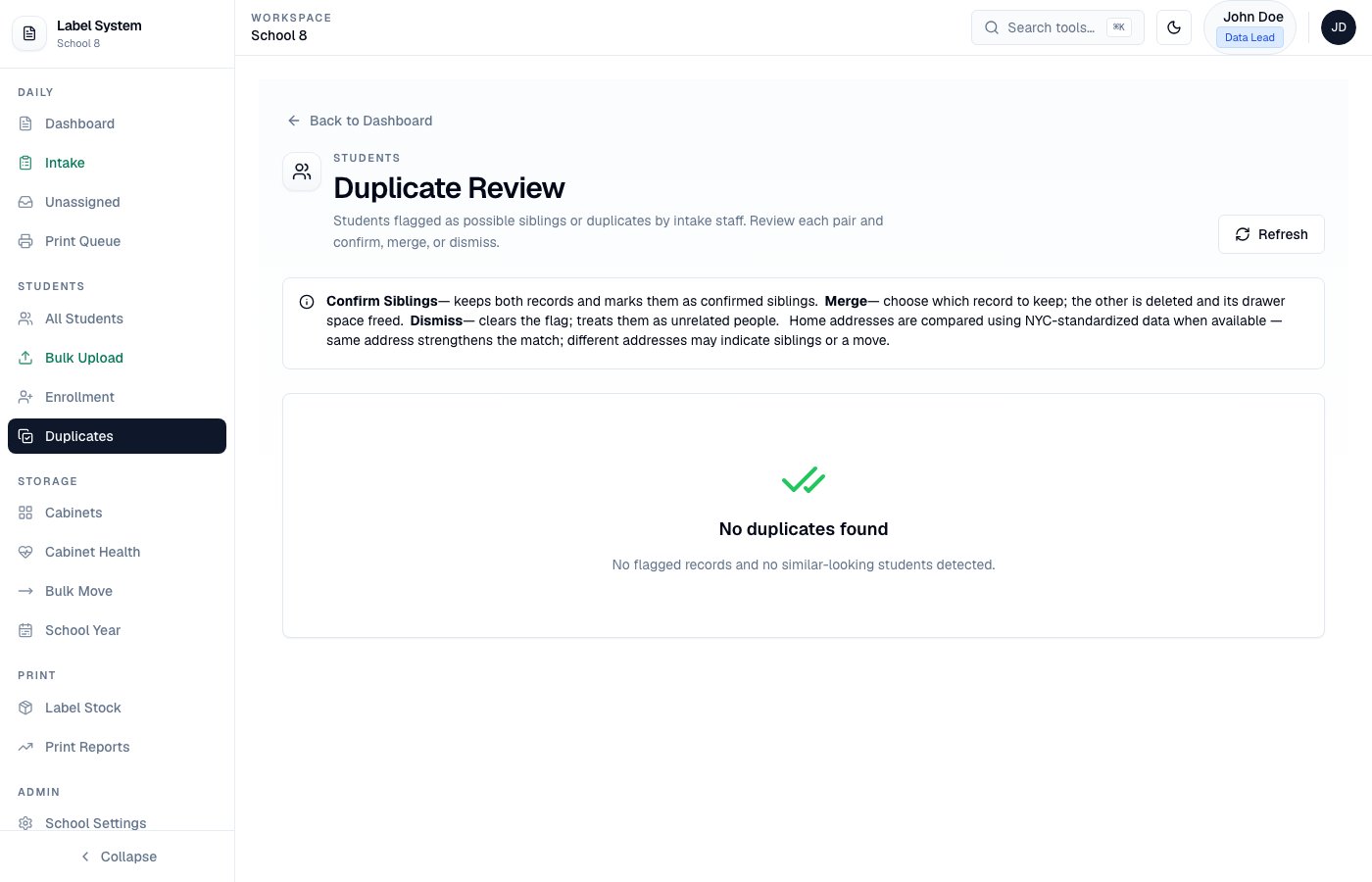
Duplicates — Live students tab (flagged siblings, auto-detected pairs, merge)
Related pages
- Intake workflow — how intake flags siblings and runs address-aware duplicate checks
- Address and NYC verification
- Data Lead tools — roster upload on School Settings