

Finding tools
Staff pages (Admin, Data Lead, Data Member) use a left sidebar. Grouped links stay visible while you work; collapse the rail on desktop or open it from the top-bar menu on mobile. Intake remains a full-screen front-desk page.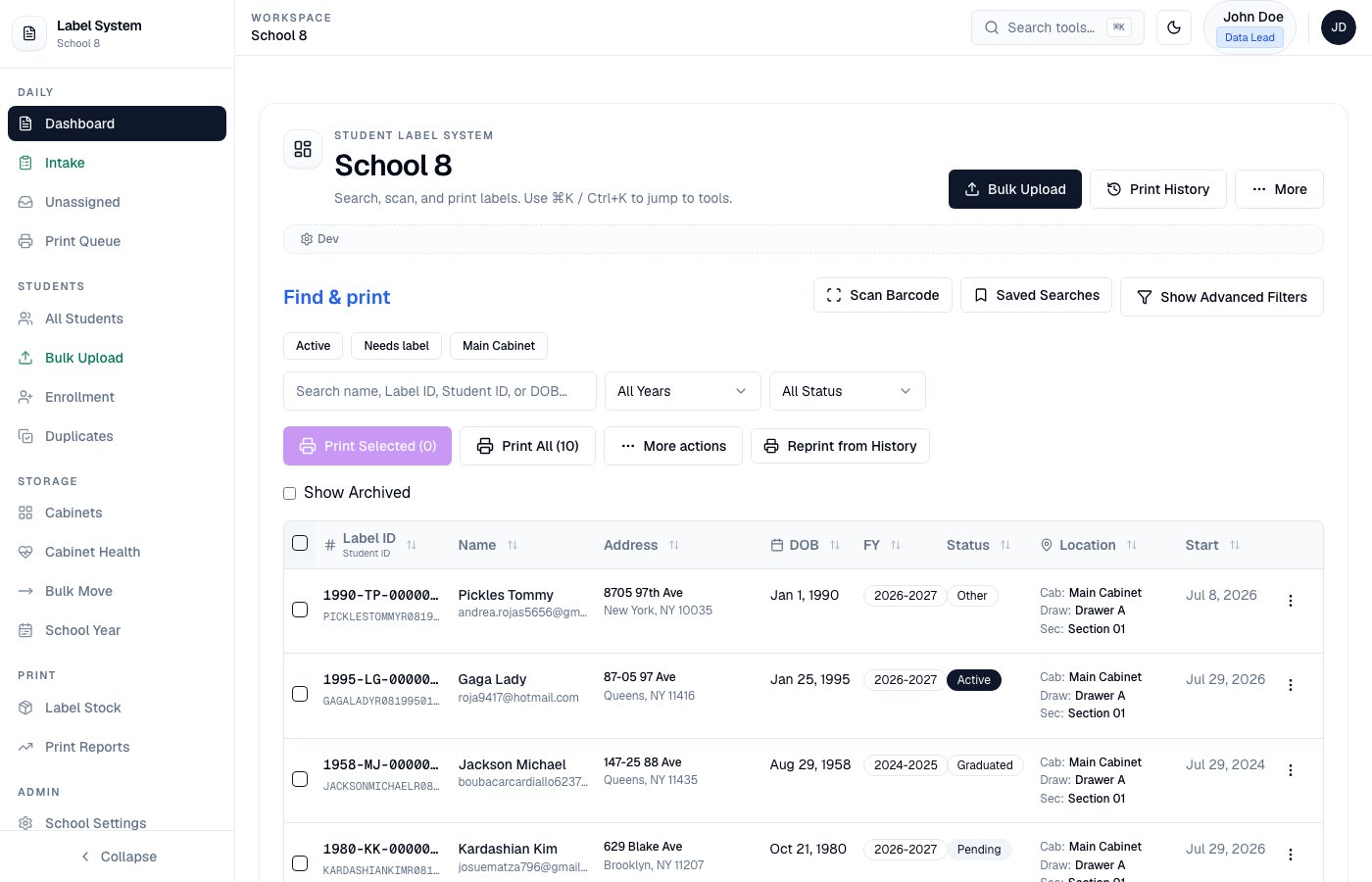
Left sidebar — navigate Daily, Students, Storage, Print, and Admin tools
Data quality
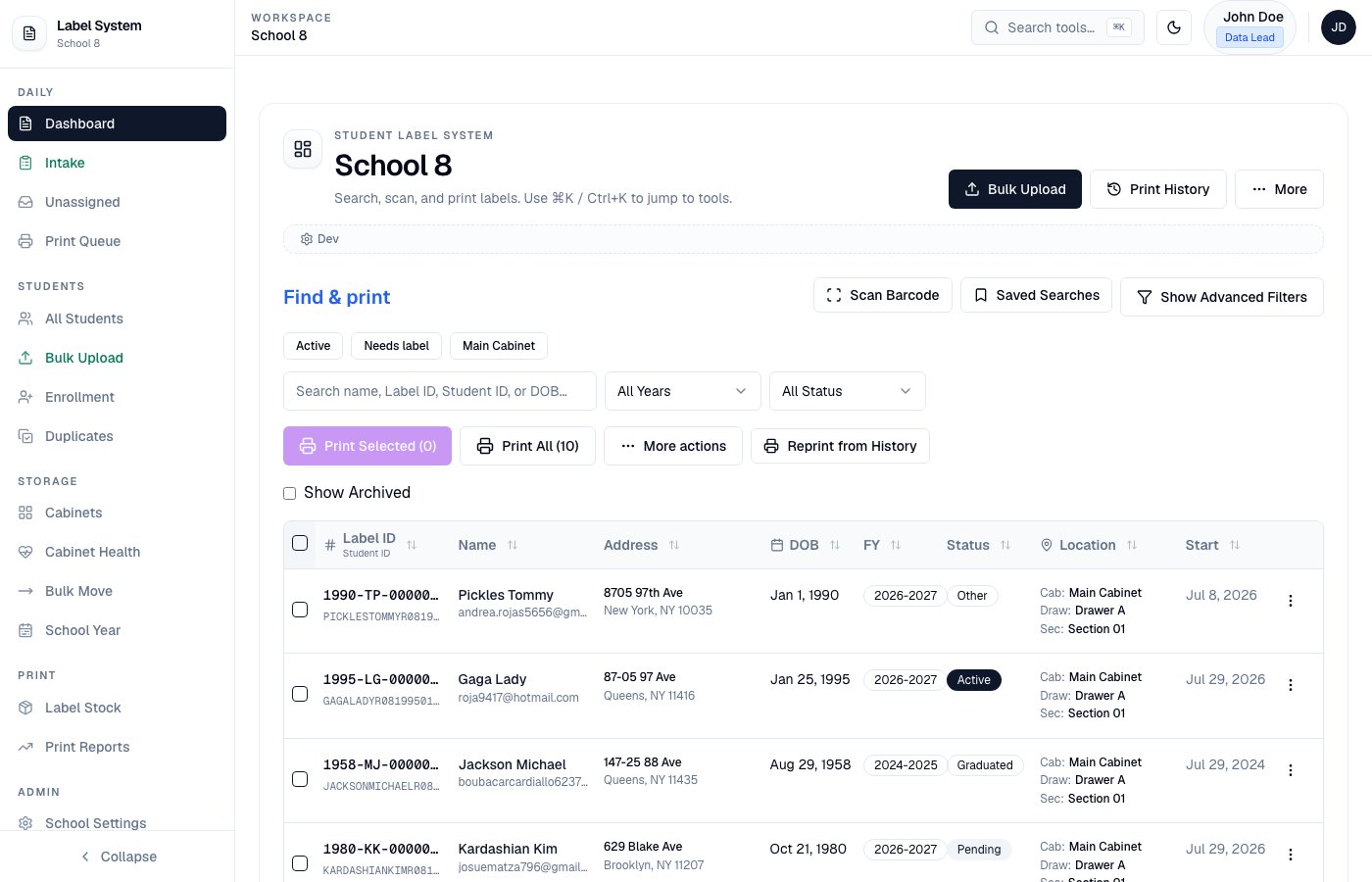
Dashboard — find & print with Cab / Draw / Sec in Location
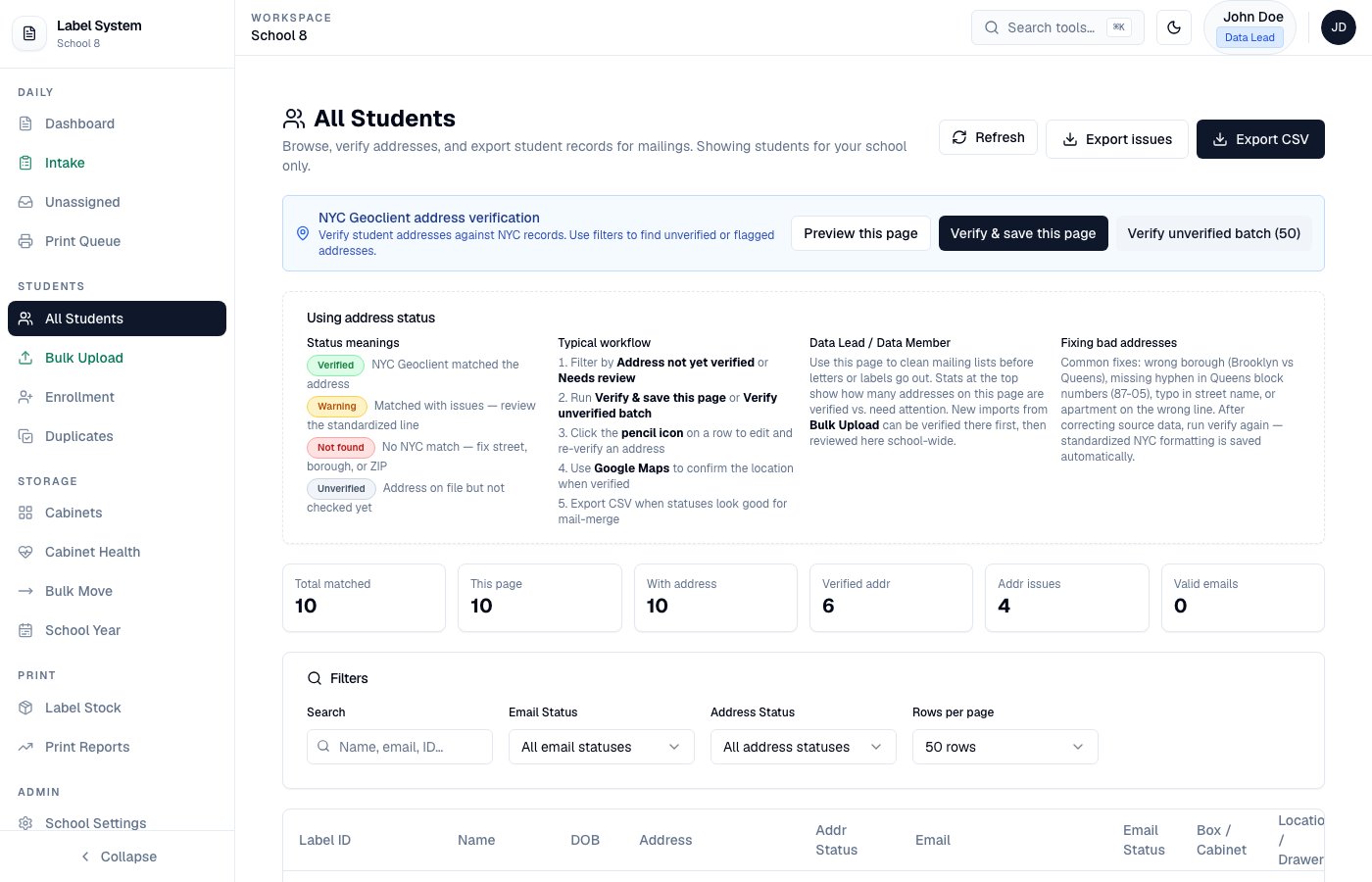
All Students — browse, filter, verify addresses, and export
Reporting and configuration
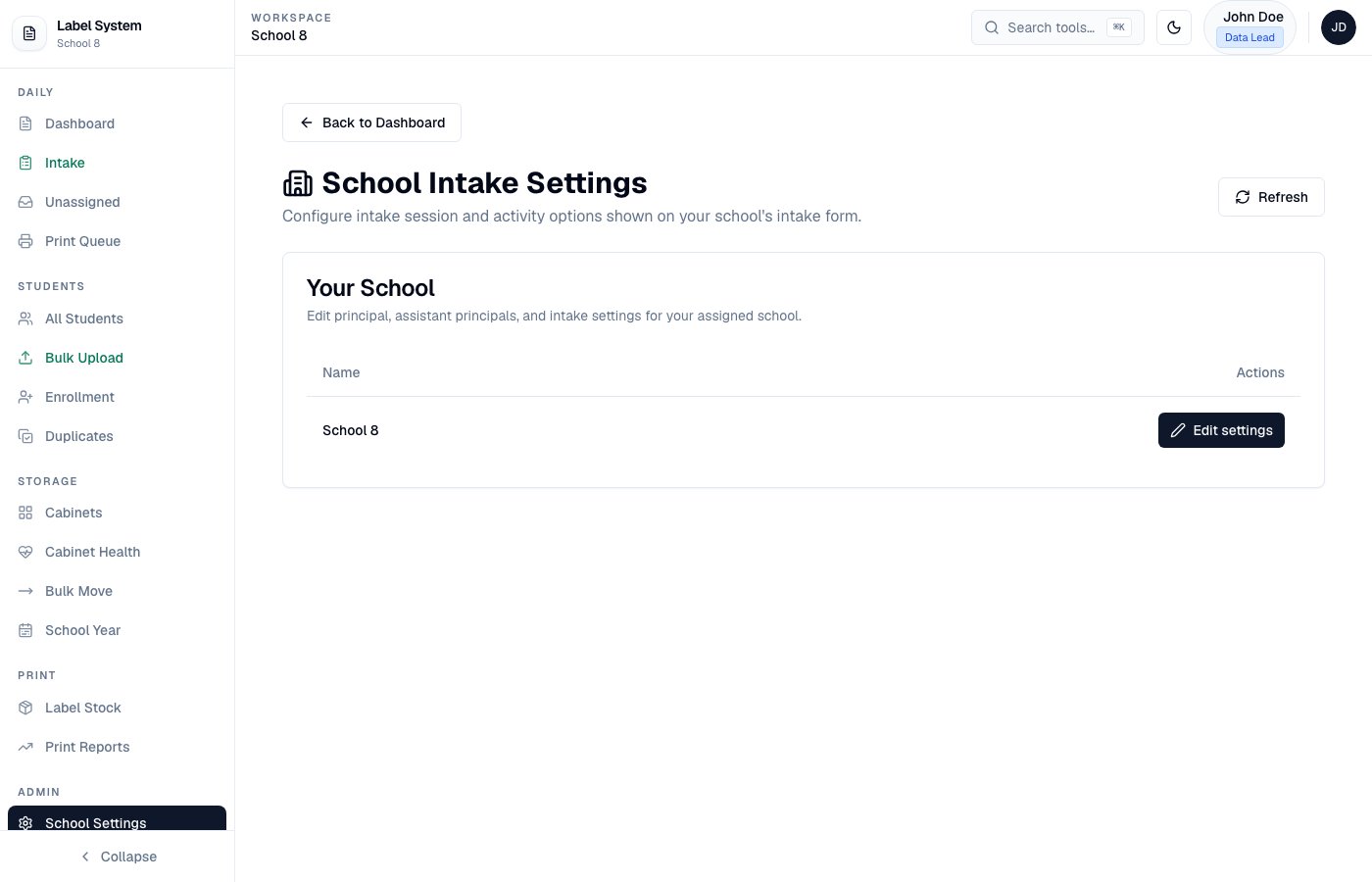
School Settings — fiscal year and intake sessions/activities
ASISTS / legacy roster (School Settings)
Each school can upload an ASISTS Access (.mdb / .accdb) or CSV roster under Admin → Schools. Intake uses that roster for the Check ASISTS gate on NEW registrations.
After upload:
- A quick quality scan summarizes error- and warning-level rows (1-letter names, bad DOBs, placeholders)
- Use Review import quality to open Duplicates → Legacy MDB import for that school (
/admin/duplicates?tab=legacy&school=…) - Export any review bucket as CSV; re-upload when ASISTS data changes
School subdomains (optional)
Each school can have a subdomain slug (e.g.school1 → https://school1.nycadultedlabels.nyc).
Full DNS, Vercel, env, slug, and smoke-test instructions:
- Mintlify: School subdomains
- Repo markdown:
docs/school-subdomains-configuration.md
Idle session prompt
Admins can configure an idle session prompt under Admin → System Settings (/admin/settings):
This is a client-side safety prompt for shared front-desk computers. NextAuth JWT sessions also expire after 12 hours.
Security
MFA enrollment, 12-hour sessions, failed-login review, account lockout, and Admin alerts are documented on the dedicated Security page. Quick links for Admins:- Security — auth events and unlock
- Users — password reset and MFA recovery
- User roles — who can do what