

In-app Analytics
Admin → Analytics shows enrollment, student searches, cabinet fill, print activity, and school breakdowns from MongoDB. Data Leads see school-scoped metrics; Admins see district-wide totals plus an account snapshot (MFA disabled, locked, forced password change). Search analytics count lookups from Dashboard, Intake, All Students, and the command palette. Raw search text is not stored — only query type (name, DOB, ID), source, and whether it returned matches. Events expire after 180 days. Use Refresh to reload the snapshot. Deeper tools (Enrollment, Activity Report, Print Reports, Cabinets) are linked from the same page.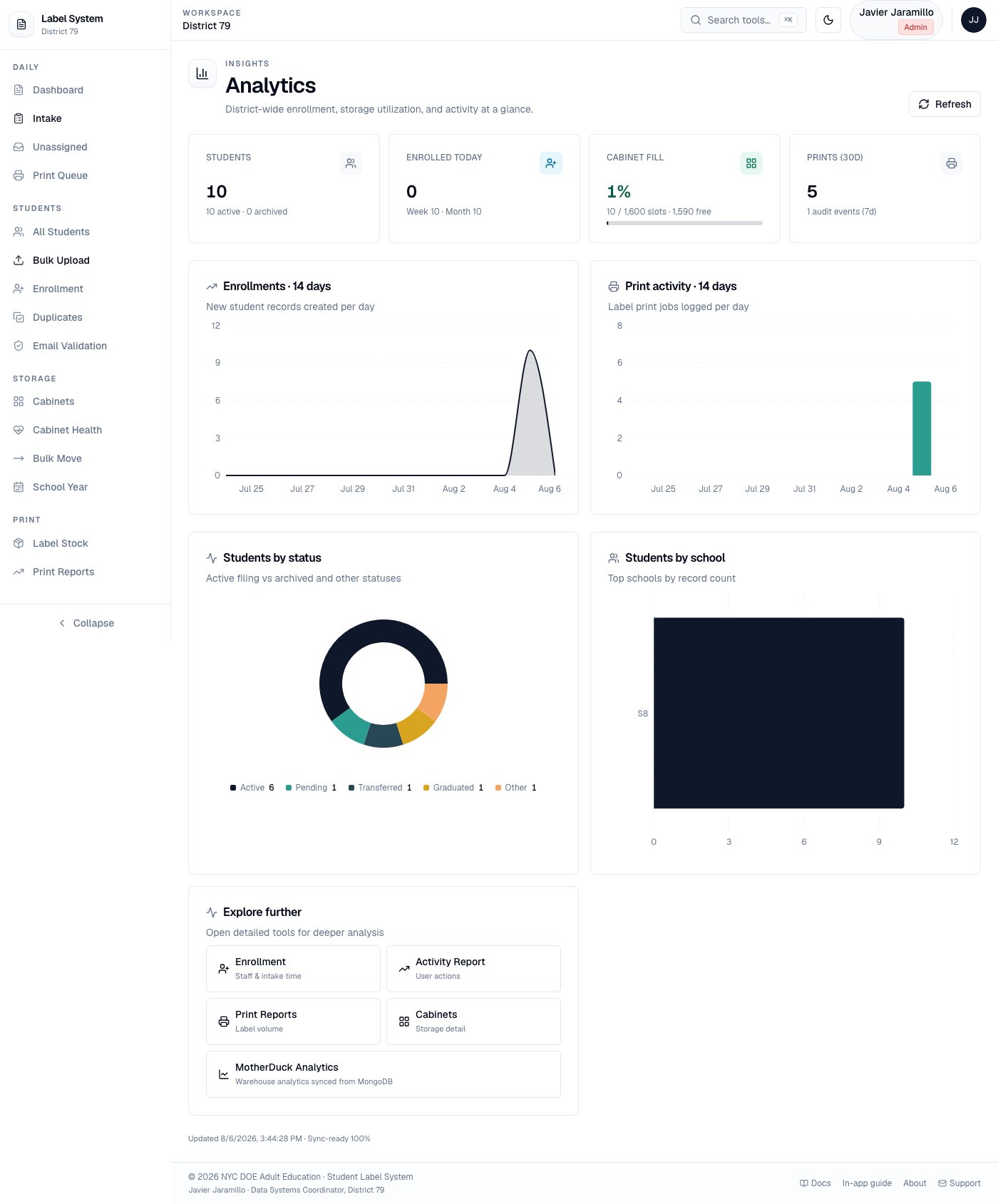
In-app Analytics — metric cards, enrollment/print charts, and school breakdown
MotherDuck Analytics (Admin only)
Admin → MotherDuck queries a MotherDuck DuckDB warehouse over the Postgres endpoint.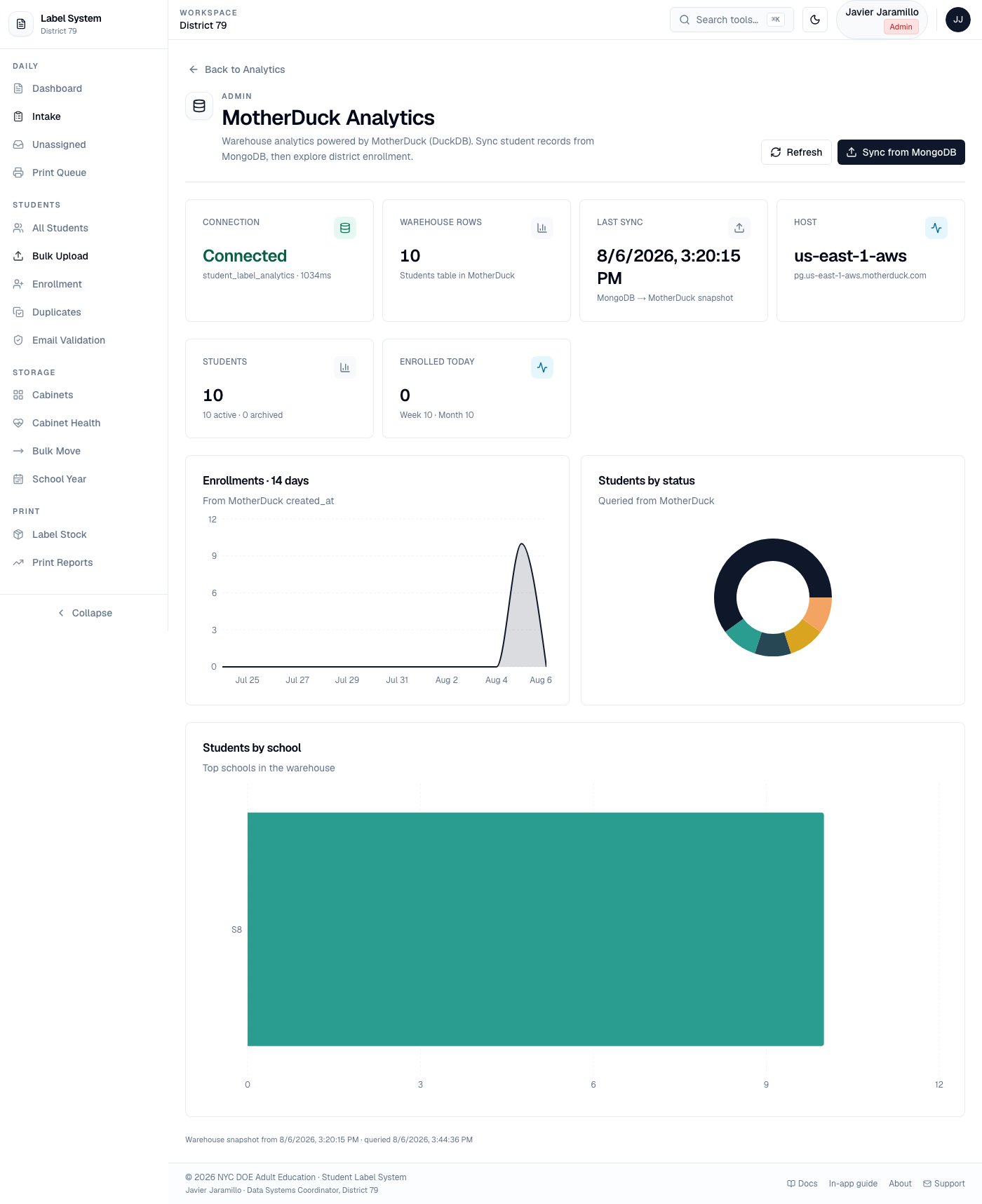
MotherDuck Analytics — connection status, Sync from MongoDB, and warehouse charts
Setup
- Create an account and access token at app.motherduck.com (Settings → Access tokens).
- Set environment variables on the server:
- Open Admin → MotherDuck and click Sync from MongoDB.
students and sync_meta tables, then loads a full student snapshot. Charts (14-day enrollments, status, schools) read from MotherDuck after sync.