> ## Documentation Index
> Fetch the complete documentation index at: https://docs.nycadultedlabels.nyc/llms.txt
> Use this file to discover all available pages before exploring further.
# Labels and scanning
> Avery 5163 and 94205 labels, barcodes, QR codes, and public student pages.
## Print layouts
Labels are printed in **batches** from the Dashboard or Print Queue — not one-by-one after each intake registration.
| Layout | Size | Per sheet | Best for |
| --------------- | ------------------ | --------- | --------------------- |
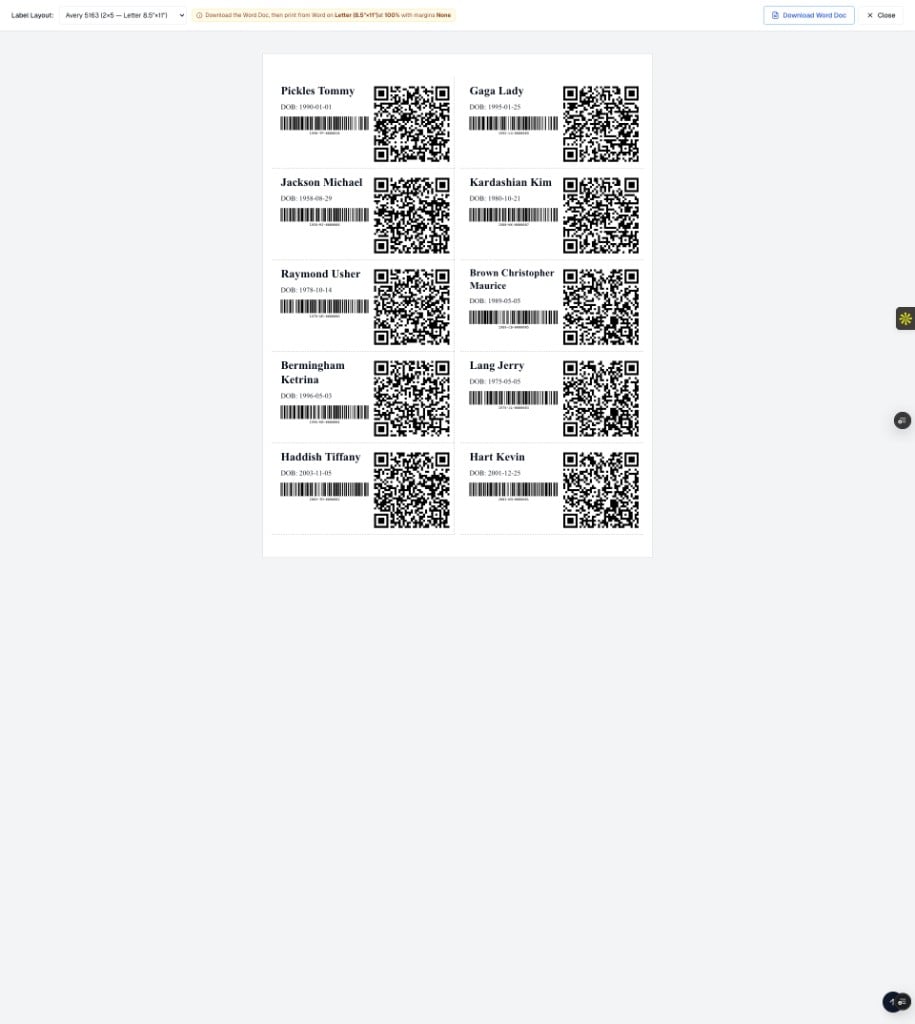
| **Avery 5163** | 2" × 4" | 10 | Default file labels |
| **Avery 94205** | 1.5" × 3.75" clear | 10 | Compact / clear stock |
### What appears on each label
| Element | Detail |
| ------------ | --------------------------------------------------------- |
| **Name** | **Last, First** (comma for filing) |
| **DOB** | Calendar date (`YYYY-MM-DD` on the sheet) |
| **Sequence** | 5-digit batch number (`00001`, `00002`, …) in print order |
| **Barcode** | **Label ID** (e.g. `1990-TP-0000010`) |
| **QR** | Opens the public student page |
The 5-digit sequence is the position in **this print job**, not the 7-digit counter inside the Label ID.
### Recommended print path (Avery)
1. Select students on the Dashboard (or open Print Queue).
2. Open the label preview and choose **Avery 5163** or **94205**.
3. Click **Download Word Doc**.
4. Open the file in Microsoft Word and print on **Letter (8.5"×11")** at **100%** scale with **margins None**.
Browser CSS print is not used for Avery sheets.
Print in multiples of **10** labels to avoid wasting partial sheets.
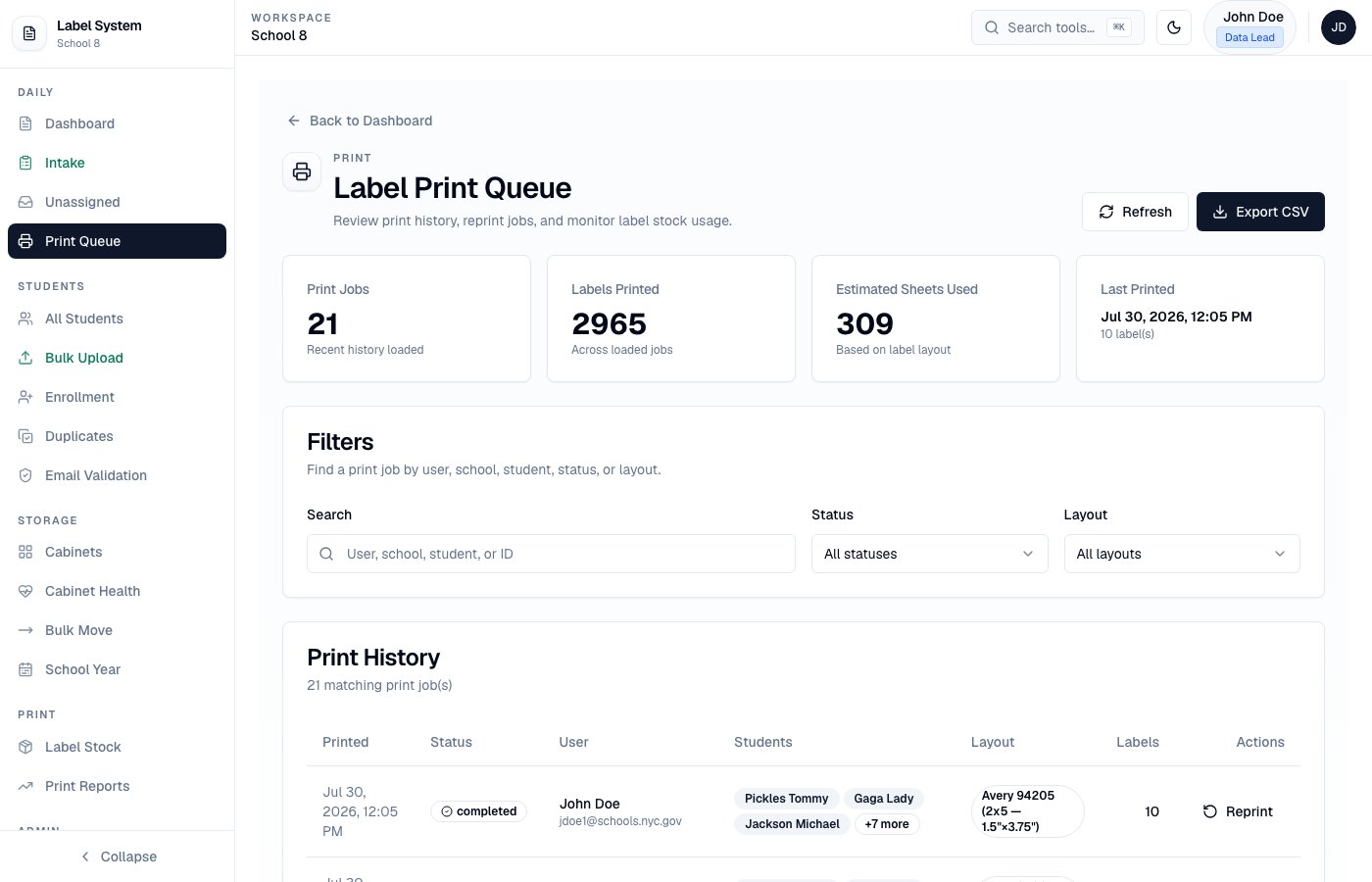 Intake success shows a registration/visit **summary** only — not a label print dialog. Use **Download Word Doc** from the Dashboard / Print Queue after selecting the students you need.
## Label stock inventory
Admins and Data Leads track Avery inventory under **Print → Label Stock**. Stock decreases when a Word Doc is downloaded or a browser print completes — not on preview alone. See [Label stock](/admin/label-stock).
## Student QR codes
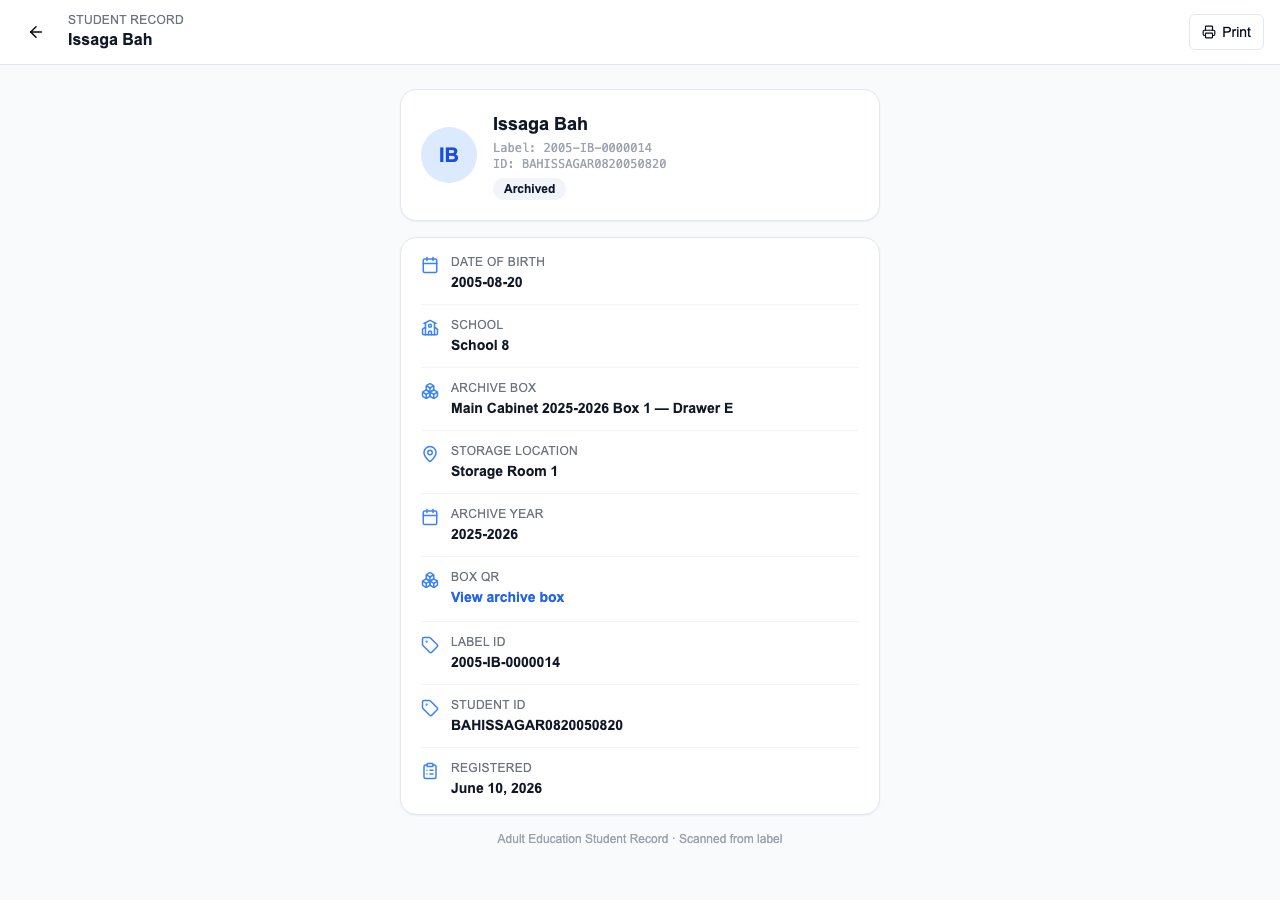
Scanning a student label QR opens a public detail page:
```
https://nycadultedlabels.nyc/student/{labelId}
```
The page shows Label ID, Student ID, name, DOB, cabinet/drawer or archive location, school, and sibling links. No login is required.
Intake success shows a registration/visit **summary** only — not a label print dialog. Use **Download Word Doc** from the Dashboard / Print Queue after selecting the students you need.
## Label stock inventory
Admins and Data Leads track Avery inventory under **Print → Label Stock**. Stock decreases when a Word Doc is downloaded or a browser print completes — not on preview alone. See [Label stock](/admin/label-stock).
## Student QR codes
Scanning a student label QR opens a public detail page:
```
https://nycadultedlabels.nyc/student/{labelId}
```
The page shows Label ID, Student ID, name, DOB, cabinet/drawer or archive location, school, and sibling links. No login is required.
 ## Archive box QR codes
Physical archive box labels include a separate QR that opens:
```
https://nycadultedlabels.nyc/archive/box/{boxId}
```
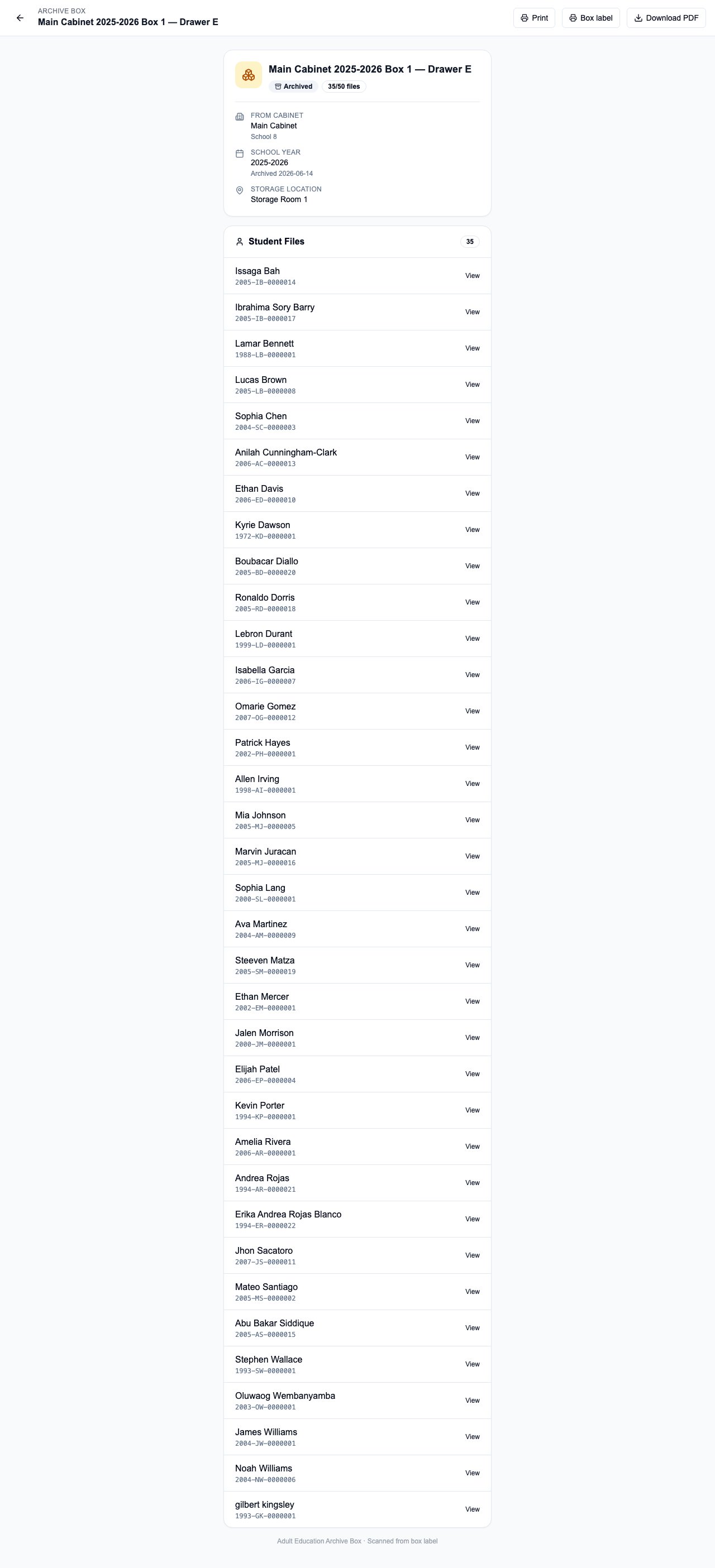
That public page lists every student file in the box plus storage location. You can also **Download PDF** (page 1 = label + QR, page 2 = two-column student list).
When a **RETURNING** archived student is logged in Intake, staff see this same box location with a QR so they can find paperwork without assigning a new drawer.
## Archive box QR codes
Physical archive box labels include a separate QR that opens:
```
https://nycadultedlabels.nyc/archive/box/{boxId}
```
That public page lists every student file in the box plus storage location. You can also **Download PDF** (page 1 = label + QR, page 2 = two-column student list).
When a **RETURNING** archived student is logged in Intake, staff see this same box location with a QR so they can find paperwork without assigning a new drawer.
 See [Archive and school year](/storage/archive-and-school-year) and [Intake workflow](/workflows/intake).
## Related pages
* [QR codes reference](/reference/qr-codes)
* [Dual ID system](/reference/dual-id-system)
See [Archive and school year](/storage/archive-and-school-year) and [Intake workflow](/workflows/intake).
## Related pages
* [QR codes reference](/reference/qr-codes)
* [Dual ID system](/reference/dual-id-system)