> ## Documentation Index
> Fetch the complete documentation index at: https://docs.nycadultedlabels.nyc/llms.txt
> Use this file to discover all available pages before exploring further.
# Archive and school year
> End-of-year closeout, physical archive boxes, and public box labels.
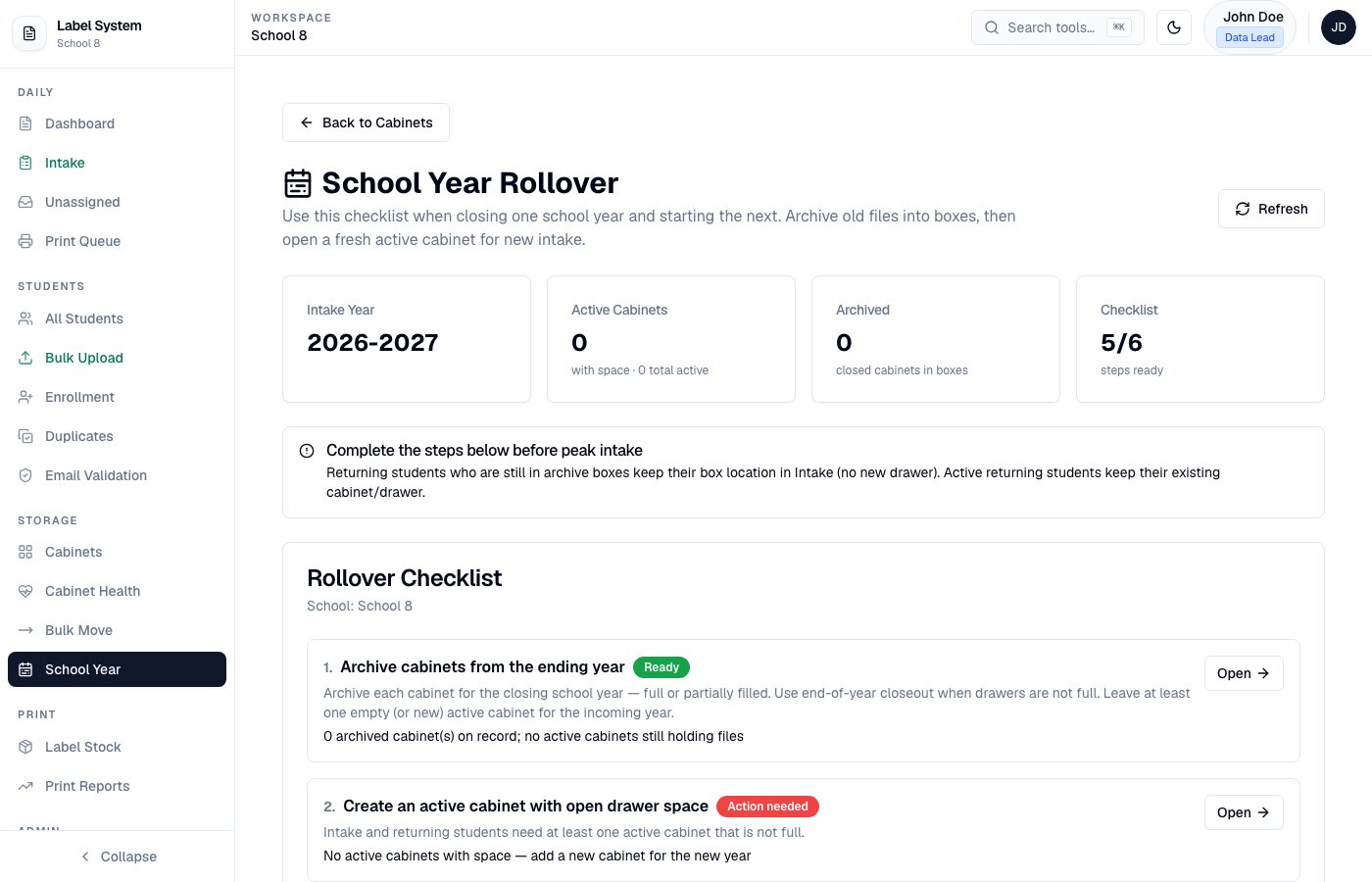
## School year rollover
**Storage → School Year** (`/admin/school-year`) tracks:
* Current fiscal year setting (School Settings)
* Cabinets ready to archive vs. still open
* Pending box assignments
Set the active fiscal year under **Schools / School Settings** — Intake and new records use that year automatically.
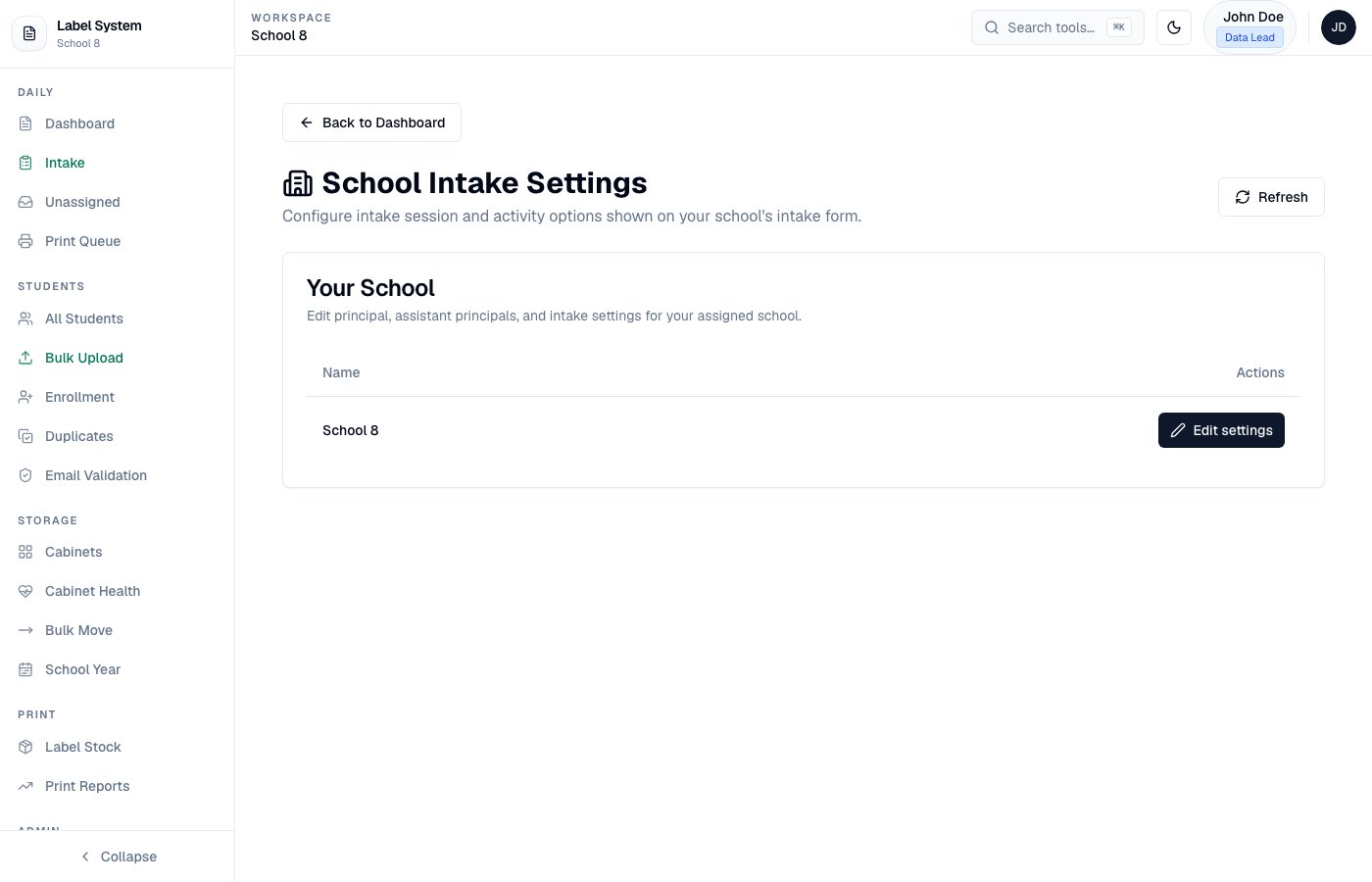 Configure **intake sessions with start and end times** in School Settings. Those windows are enforced on the Intake form and used when flagging outside-session hours.
## Archive a cabinet
Check Cabinet Health and Unassigned Queue before archiving.
Choose box size (**50 / 100 / 200** files), storage location, and school year.
* **Full end-of-year** — turn on **End-of-year closeout** if drawers are not completely full; the cabinet becomes Archived.
* **Partial archive** — archive only selected statuses (e.g. Graduated / Transferred) and optionally specific drawers. The cabinet stays **Active** for remaining students.
Click **Preview packing** to see who goes in which box. Override any student's box from the dropdown before you commit. Reset to auto packing if needed.
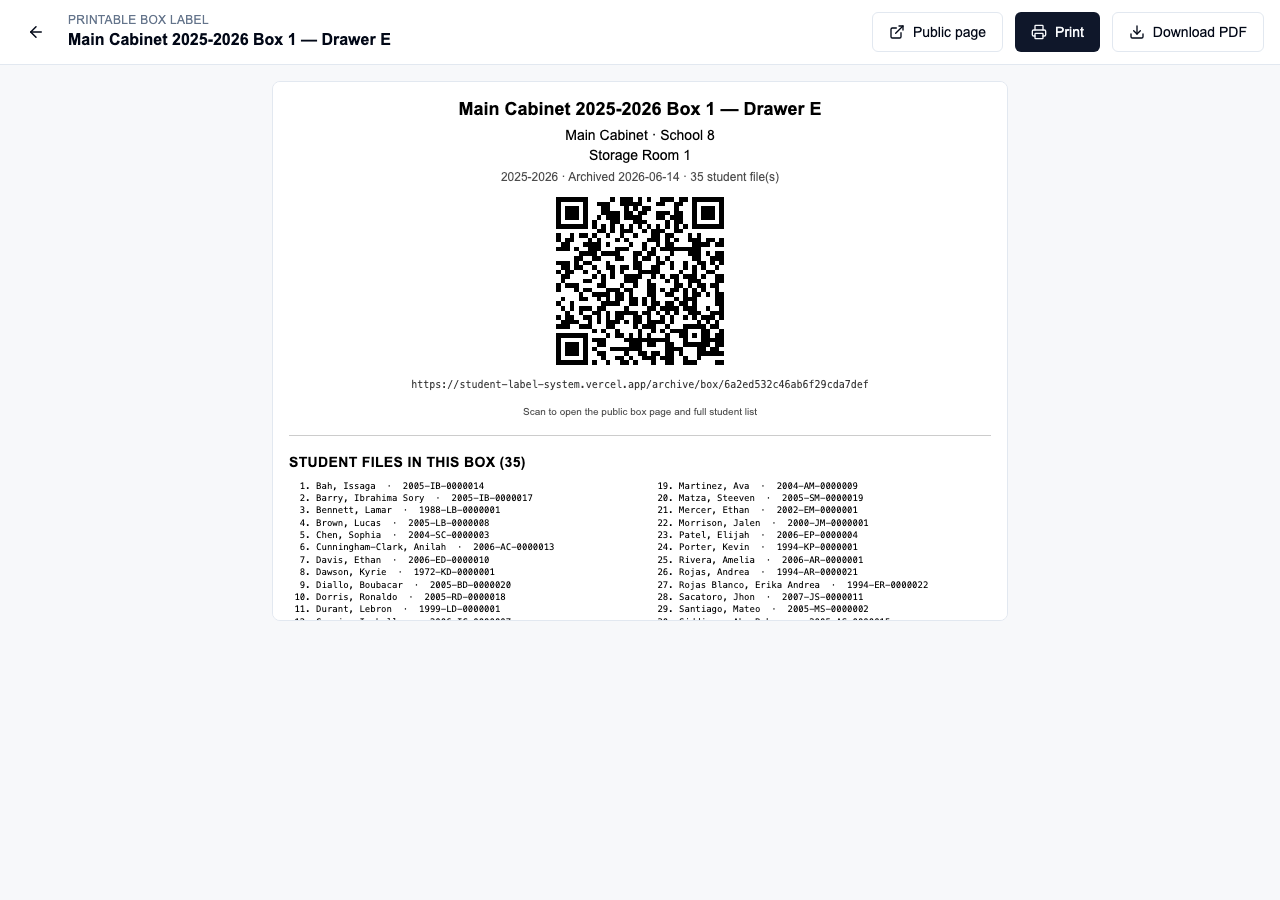
Confirm the archive. Each box gets a unique ID. From the box label dialog: **Print Label** or **Download PDF**. Attach to the physical box.
Keep physical files for the **7-year retention period** before disposal.
If older archives still show students not linked to a box, use **Move student(s) to boxes** on the archived cabinet card.
## Public box pages
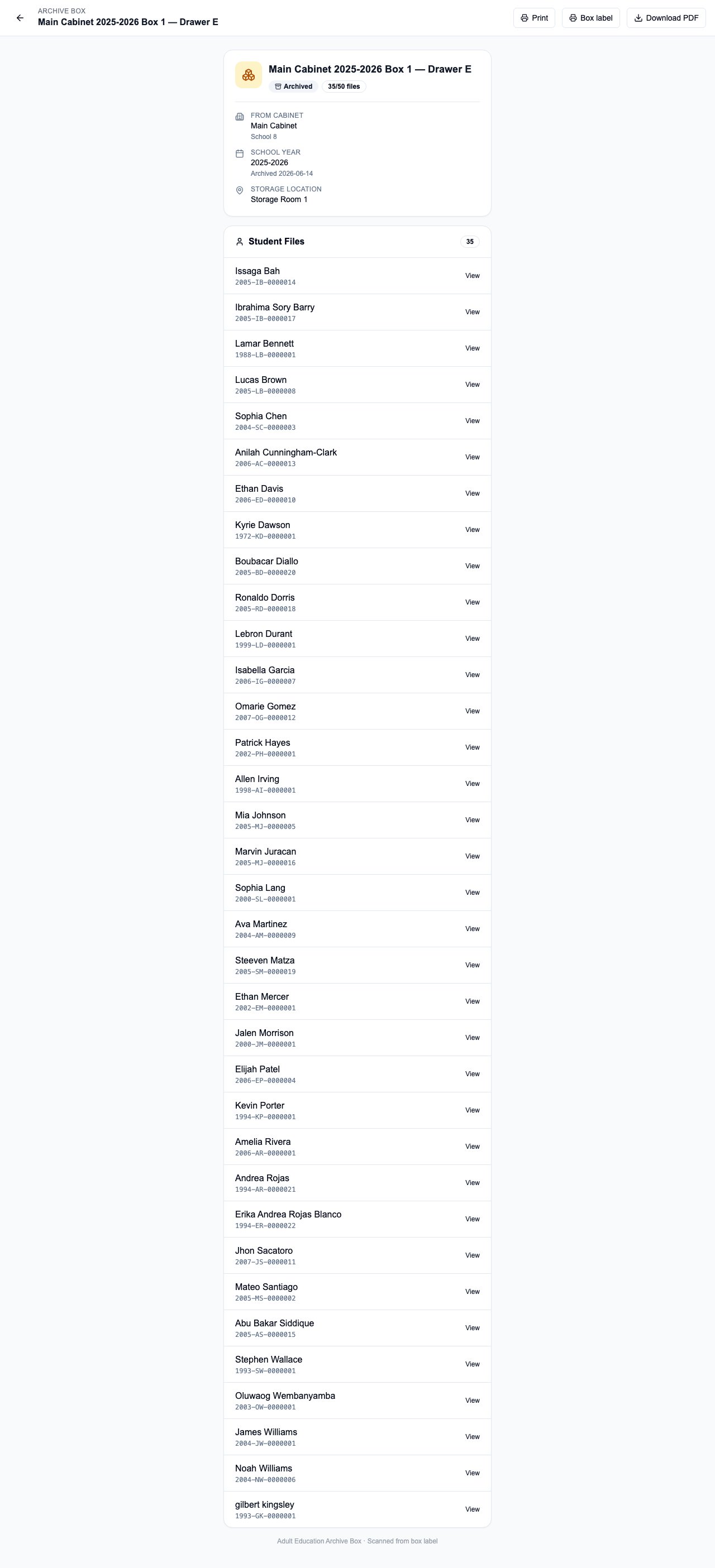
Box QR codes link to `/archive/box/{boxId}` — no login required. Staff and auditors can scan a box in storage to see location metadata and the full student list.
Configure **intake sessions with start and end times** in School Settings. Those windows are enforced on the Intake form and used when flagging outside-session hours.
## Archive a cabinet
Check Cabinet Health and Unassigned Queue before archiving.
Choose box size (**50 / 100 / 200** files), storage location, and school year.
* **Full end-of-year** — turn on **End-of-year closeout** if drawers are not completely full; the cabinet becomes Archived.
* **Partial archive** — archive only selected statuses (e.g. Graduated / Transferred) and optionally specific drawers. The cabinet stays **Active** for remaining students.
Click **Preview packing** to see who goes in which box. Override any student's box from the dropdown before you commit. Reset to auto packing if needed.
Confirm the archive. Each box gets a unique ID. From the box label dialog: **Print Label** or **Download PDF**. Attach to the physical box.
Keep physical files for the **7-year retention period** before disposal.
If older archives still show students not linked to a box, use **Move student(s) to boxes** on the archived cabinet card.
## Public box pages
Box QR codes link to `/archive/box/{boxId}` — no login required. Staff and auditors can scan a box in storage to see location metadata and the full student list.
 ## Returning archived students at Intake
When an archived student returns for a visit, Intake shows the **existing archive box** (label, location, QR) instead of assigning a new active drawer. Staff add paperwork to the same physical file.
See [Intake workflow → Returning archived students](/workflows/intake#returning-archived-students).
## PDF layout
| Page | Content |
| ---- | --------------------------------------------------------- |
| 1 | Box title, location, school year, QR code, public URL |
| 2 | Full student list in two columns (\~200 files on 2 pages) |
## Returning archived students at Intake
When an archived student returns for a visit, Intake shows the **existing archive box** (label, location, QR) instead of assigning a new active drawer. Staff add paperwork to the same physical file.
See [Intake workflow → Returning archived students](/workflows/intake#returning-archived-students).
## PDF layout
| Page | Content |
| ---- | --------------------------------------------------------- |
| 1 | Box title, location, school year, QR code, public URL |
| 2 | Full student list in two columns (\~200 files on 2 pages) |
 ## Related pages
* [Cabinets and drawers](/storage/cabinets-and-drawers)
* [QR codes](/reference/qr-codes)
* [Intake workflow](/workflows/intake)
## Related pages
* [Cabinets and drawers](/storage/cabinets-and-drawers)
* [QR codes](/reference/qr-codes)
* [Intake workflow](/workflows/intake)