> ## Documentation Index
> Fetch the complete documentation index at: https://docs.nycadultedlabels.nyc/llms.txt
> Use this file to discover all available pages before exploring further.
# Data Lead and Admin tools
> Cleanup, activity reports, schools, address verification, and security.
## Finding tools
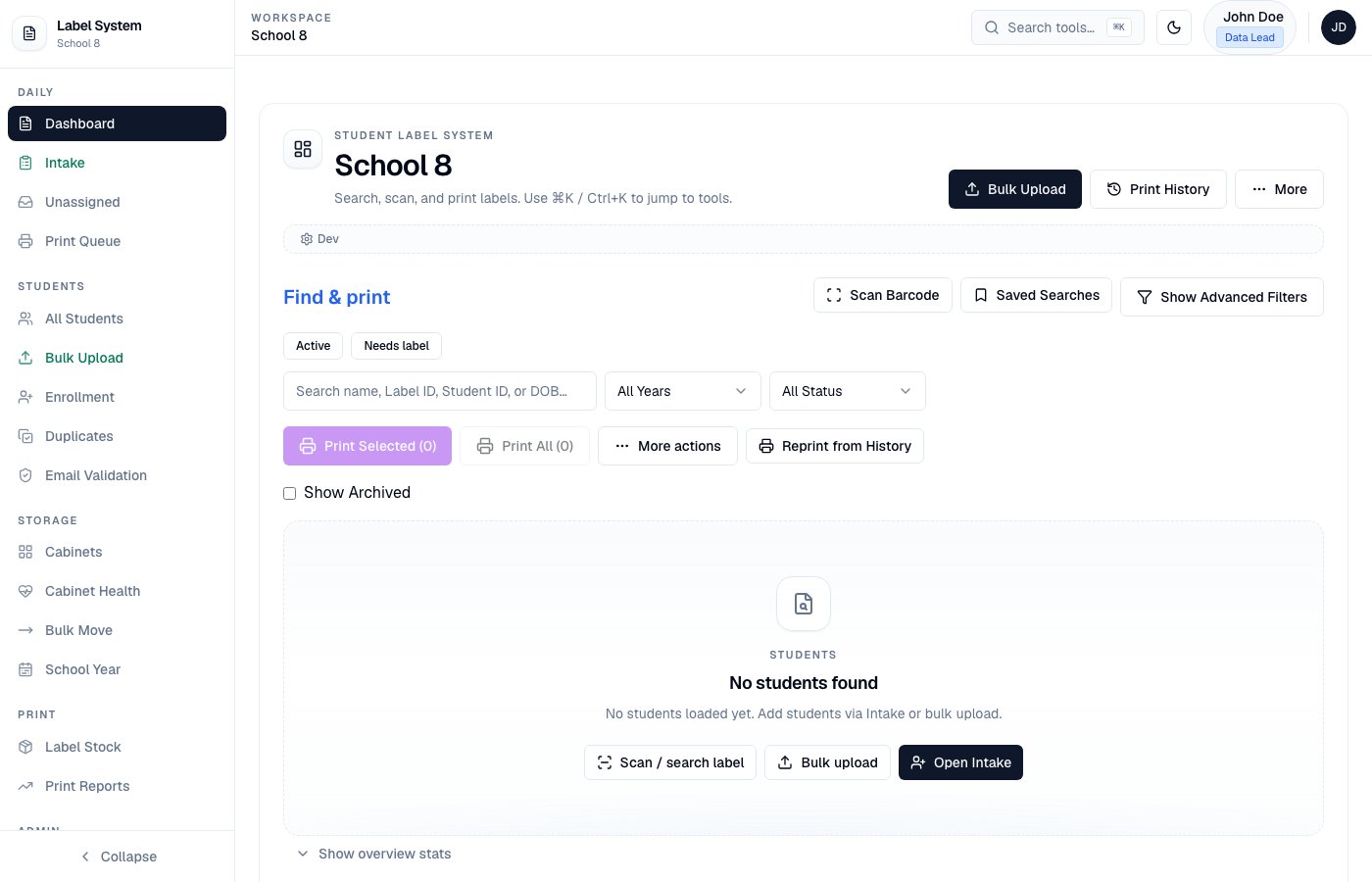
Staff pages (Admin, Data Lead, Data Member) use a **left sidebar**. Grouped links stay visible while you work; collapse the rail on desktop or open it from the top-bar menu on mobile. **Intake** remains a full-screen front-desk page.
| Sidebar group | Examples |
| ------------- | ------------------------------------------------- |
| Daily | Dashboard, Intake, Unassigned, Print Queue |
| Students | All Students, Bulk Upload, Enrollment, Duplicates |
| Storage | Cabinets, Cabinet Health, Bulk Move, School Year |
| Print | Label Stock, Print Reports |
| Admin | Users, Schools, Activity, Audit, Settings |
| Help | In-app guide |
 ## Data quality
| Tool | Path | Purpose |
| ---------------- | ----------------------------- | ------------------------------------------------------------- |
| Cabinet Health | `/admin/cabinet-health` | Drawer capacity at a glance |
| Unassigned Queue | `/admin/unassigned` | Missing cabinet/drawer |
| Bulk Move | `/admin/bulk-move` | Move students with validation |
| Bulk Upload | `/admin/students/bulk-upload` | CSV import with preview validation |
| Data Cleanup | `/admin/data-cleanup` | Invalid emails, missing dates |
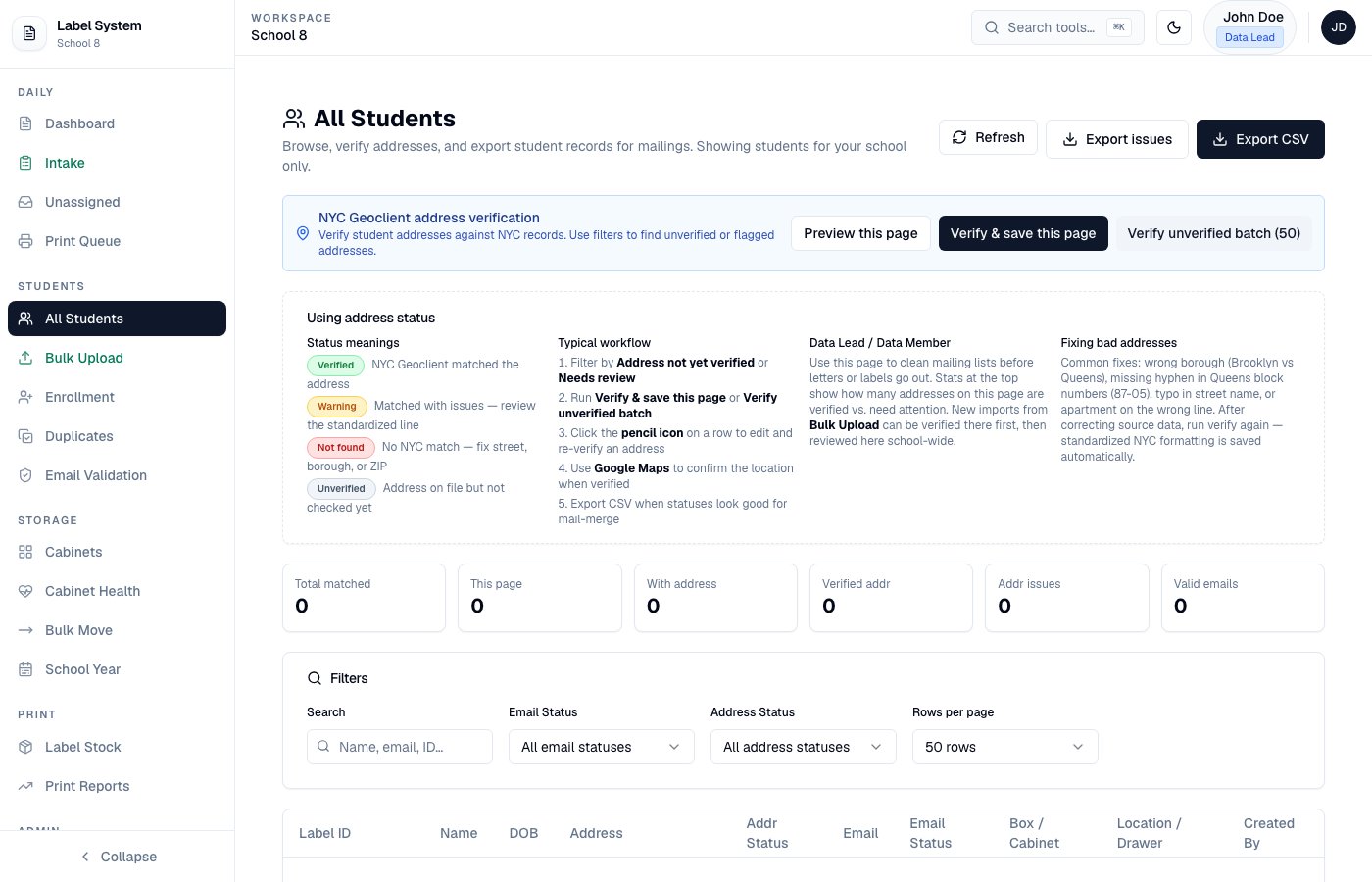
| Duplicates | `/admin/duplicates` | Sibling and duplicate review with address comparison |
| All Students | `/admin/students/all` | Search, filter by address status, NYC verify, edit apt/street |
## Data quality
| Tool | Path | Purpose |
| ---------------- | ----------------------------- | ------------------------------------------------------------- |
| Cabinet Health | `/admin/cabinet-health` | Drawer capacity at a glance |
| Unassigned Queue | `/admin/unassigned` | Missing cabinet/drawer |
| Bulk Move | `/admin/bulk-move` | Move students with validation |
| Bulk Upload | `/admin/students/bulk-upload` | CSV import with preview validation |
| Data Cleanup | `/admin/data-cleanup` | Invalid emails, missing dates |
| Duplicates | `/admin/duplicates` | Sibling and duplicate review with address comparison |
| All Students | `/admin/students/all` | Search, filter by address status, NYC verify, edit apt/street |
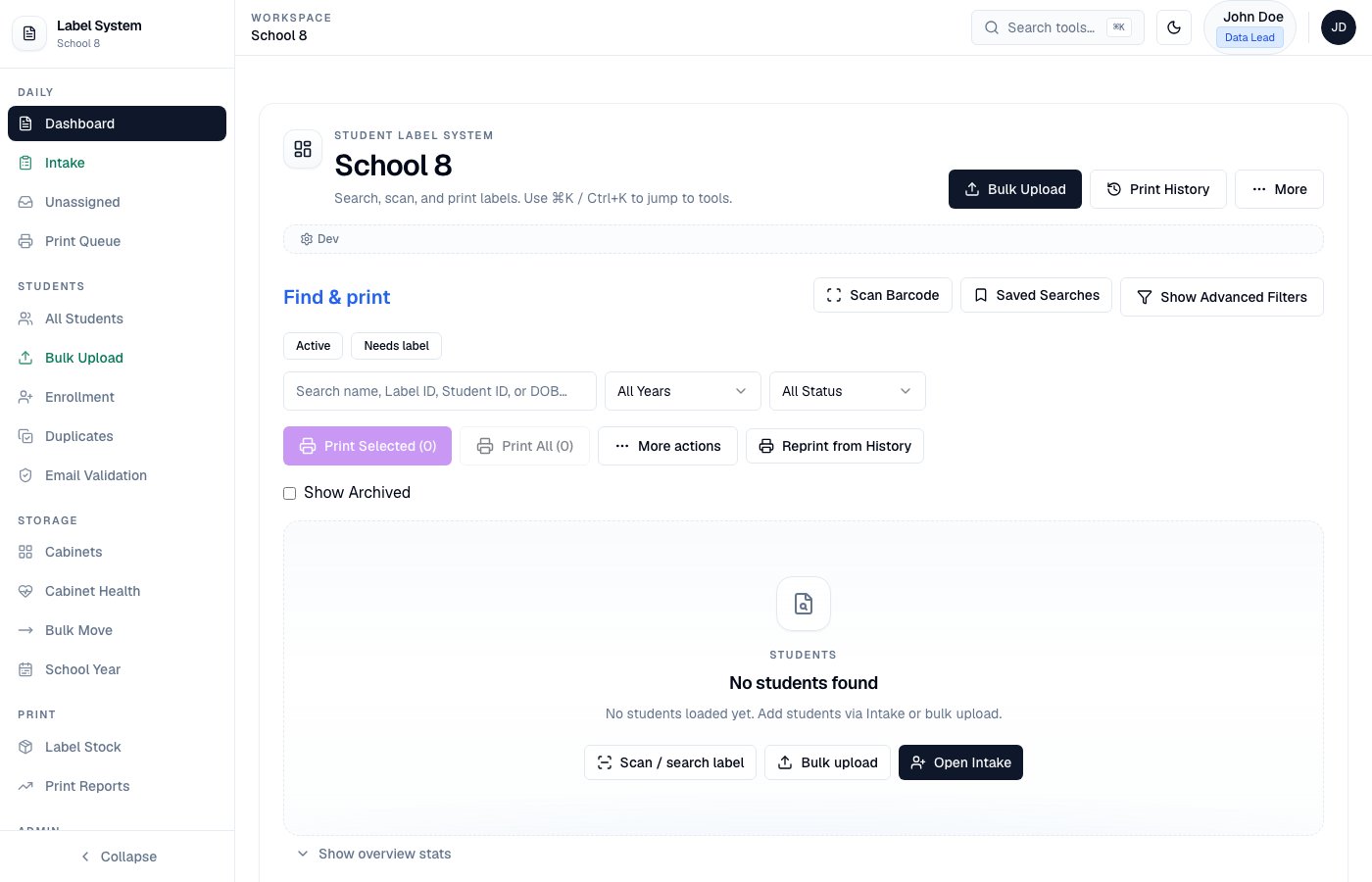
 On the Dashboard **Location** column, Data Leads see **Cab**, **Draw**, and **Sec** (automatic drawer section). Intake Members do not see sections during registration. See [Cabinets and drawers](/storage/cabinets-and-drawers).
## Reporting and configuration
| Tool | Path | Purpose |
| ------------------------- | ------------------------ | -------------------------------------------------------------------------- |
| Activity Report | `/admin/activity-report` | Student record event log |
| Enrollment | `/admin/enrollment` | Registration metrics and intake time issues |
| Email Validation | `/admin/validation` | EmailAwesome verification |
| Schools / School Settings | `/admin/schools` | School names, Agency IDs, **subdomain slug**, fiscal year, intake sessions |
| School Year Rollover | `/admin/school-year` | End-of-year checklist |
| Label Stock | `/admin/label-stock` | Avery inventory, burn rate, restock |
| Users | `/admin/users` | Roles, schools, MFA recovery |
On the Dashboard **Location** column, Data Leads see **Cab**, **Draw**, and **Sec** (automatic drawer section). Intake Members do not see sections during registration. See [Cabinets and drawers](/storage/cabinets-and-drawers).
## Reporting and configuration
| Tool | Path | Purpose |
| ------------------------- | ------------------------ | -------------------------------------------------------------------------- |
| Activity Report | `/admin/activity-report` | Student record event log |
| Enrollment | `/admin/enrollment` | Registration metrics and intake time issues |
| Email Validation | `/admin/validation` | EmailAwesome verification |
| Schools / School Settings | `/admin/schools` | School names, Agency IDs, **subdomain slug**, fiscal year, intake sessions |
| School Year Rollover | `/admin/school-year` | End-of-year checklist |
| Label Stock | `/admin/label-stock` | Avery inventory, burn rate, restock |
| Users | `/admin/users` | Roles, schools, MFA recovery |
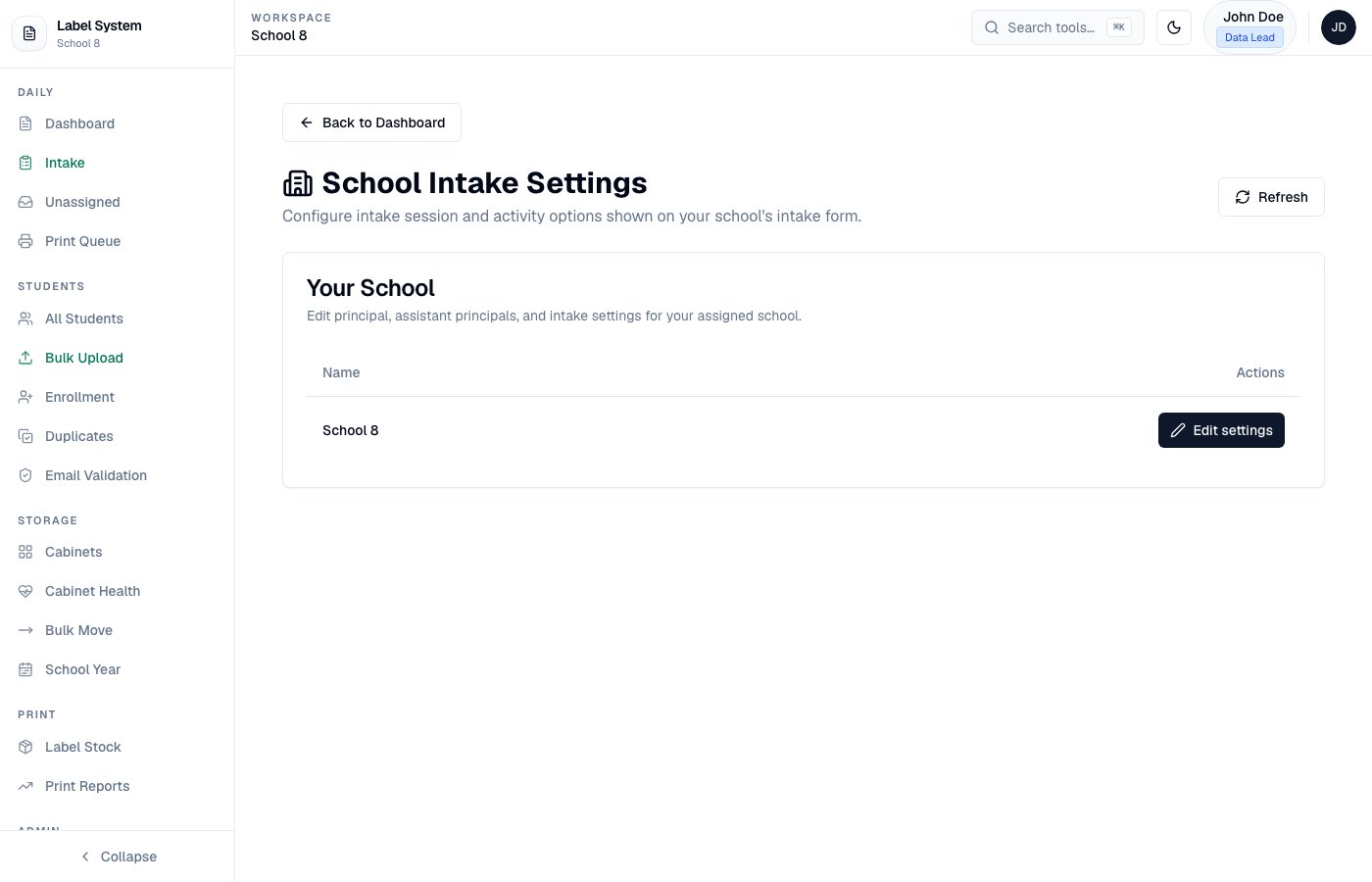 Set **start and end times** for each intake session in School Settings. Intake Members cannot save times outside those windows.
## School subdomains (optional)
Each school can have a **subdomain slug** (e.g. `school1` → `https://school1.nycadultedlabels.nyc`).
Full DNS, Vercel, env, slug, and smoke-test instructions:
* Mintlify: [School subdomains](/contributors/school-subdomains)
* Repo markdown: `docs/school-subdomains-configuration.md`
## Security
**MFA is required for every account** until DOE Single Sign-On (SSO) is available. All staff (Admin, Data Lead, Data Member, Intake Member) must enable authenticator-app MFA. This protects student data while the app still uses email/password login.
* Sign in with your DOE email and password, then enter the **6-digit MFA code** from your authenticator app
* Users set up MFA from **Profile** (QR code + verify)
* Admins can reset passwords, force password changes, and **temporarily disable MFA** only to recover locked-out users — the user must re-enable MFA after recovery
* SSO (Microsoft Entra ID / `@schools.nyc.gov`) is planned; until then MFA remains mandatory for security
See also [User roles](/user-roles).
## Screenshots
Production screenshots are linked throughout these docs. See the [screenshot checklist](/contributors/screenshot-checklist) for the full inventory and how to re-capture.
Set **start and end times** for each intake session in School Settings. Intake Members cannot save times outside those windows.
## School subdomains (optional)
Each school can have a **subdomain slug** (e.g. `school1` → `https://school1.nycadultedlabels.nyc`).
Full DNS, Vercel, env, slug, and smoke-test instructions:
* Mintlify: [School subdomains](/contributors/school-subdomains)
* Repo markdown: `docs/school-subdomains-configuration.md`
## Security
**MFA is required for every account** until DOE Single Sign-On (SSO) is available. All staff (Admin, Data Lead, Data Member, Intake Member) must enable authenticator-app MFA. This protects student data while the app still uses email/password login.
* Sign in with your DOE email and password, then enter the **6-digit MFA code** from your authenticator app
* Users set up MFA from **Profile** (QR code + verify)
* Admins can reset passwords, force password changes, and **temporarily disable MFA** only to recover locked-out users — the user must re-enable MFA after recovery
* SSO (Microsoft Entra ID / `@schools.nyc.gov`) is planned; until then MFA remains mandatory for security
See also [User roles](/user-roles).
## Screenshots
Production screenshots are linked throughout these docs. See the [screenshot checklist](/contributors/screenshot-checklist) for the full inventory and how to re-capture.